

Best device ever for automating garage doors!
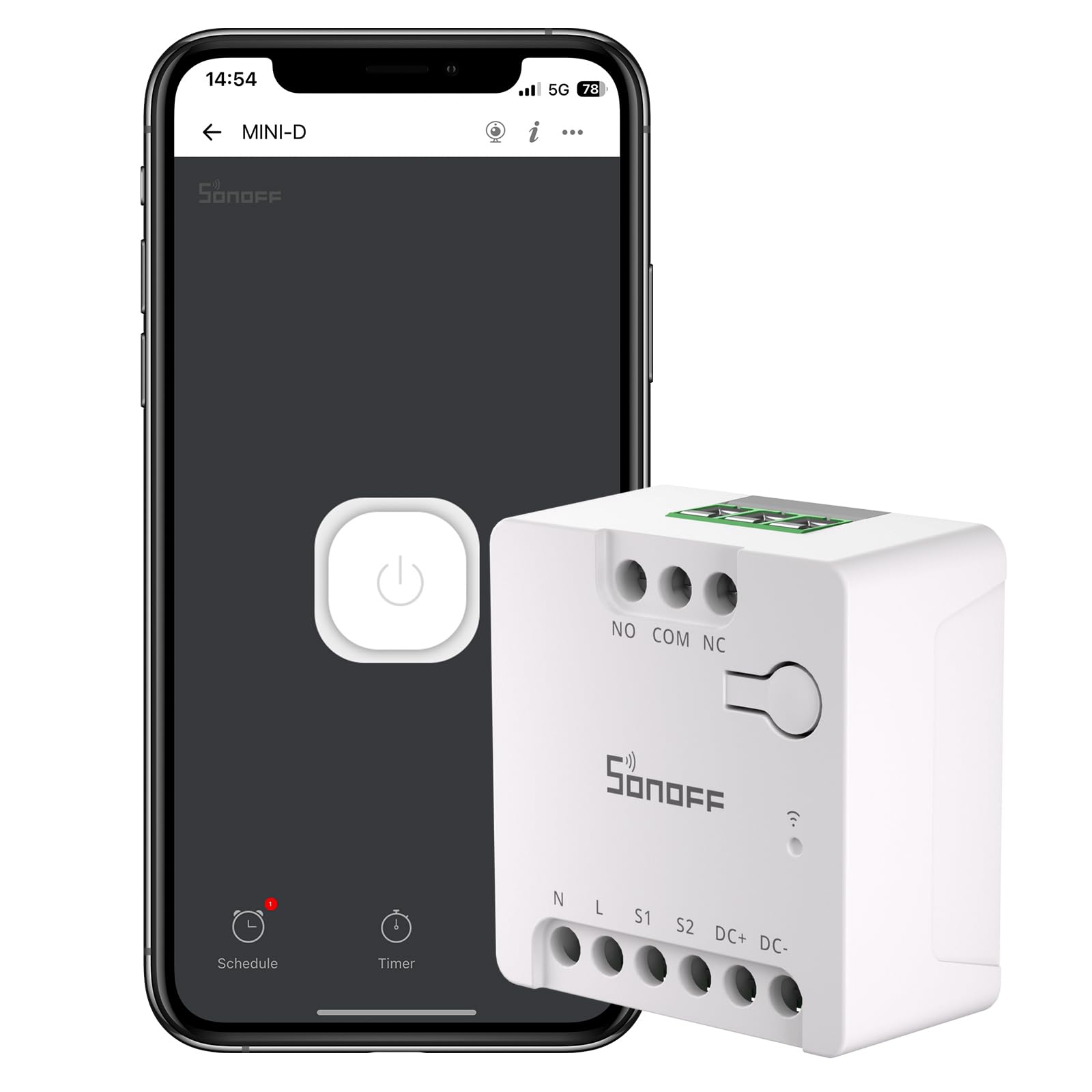
How to set up Sonoff Mini D Dry Contact WiFi Switch and Relay for Garage Door Opener Control: 1. Find an unused or buy a 12v DC power supply with at least .5 MA output. Cut off the barrel end about 3 inches from end. Prepare contact wire ends and then plug the power supply into an outlet to find positive and negative leads using a multi meter. 2. Insert the positive lead into the Sonoff Mini D DC+ terminal and tighten the screw contact to secure the wire. Insert the negative lead into the Sonoff Mini D DC- terminal and tighten the screw contact to secure the wire. 3. Download the eWeLink app on iPhone and set up an eWeLink account with password. 4. Make sure the phone is using 2.4 Ghz WiFi band and that any vpn service is not engaged. 5. Plug in the Sonoff Mini D device indoors to set up. In the eWeLink App, touch the “+” sign to add and pair the Sonoff Mini D device. Once linked to the desired 2.4 Ghz network, follow other setup prompts and then give it a name such as Garage One, Garage Two, Garage Three, etc. 6. In the eWeLink app and make the following adjustments, being sure to “save” each adjustment as necessary: a. Assign Location to “Other” b. LAN Control ON c. eWeLink-Remote sub-devices no change to default d. Switch Mode should be “Edge Mode” and Detach Relay should be “Disable” e. Push notification to Off (or on if you want usage notifications) f. Offline Alert to Off (or on if you want alerts) g. Network Indicator to ON h. Power-on State to Off i. Inching Settings, Inching to .5 Sec and Status to Auto-off (“Save” these changes) j. Be sure to enable Alexa in the eWeLink app if Alexa voice control is desired. 7. On the ground, before plugging the Sonoff Mini D device into the same ceiling outlet as the garage door opener, prepare two 36 inch long wires and connect one to the Sonoff Mini D “NO” (Normally Open) terminal and tighten with the screw, and connect the other wire to the Sonoff Mini D “COM” (Common) terminal and tighten the screw. Then on a suitable ladder and connect and tighten the garage door opener terminal one screw to the Sonoff Mini D “COM” wire and the garage door opener terminal two screw to the Sonoff Mini D “NO” wire. (Note: these are the same two garage opener terminal screws that the two wires connected to the garage door opener wall switch are using.) Secure all extra wires with zip ties and try to keep the Sonoff Mini D device a couple of feet away from the garage door opener antenna wire to minimize signal interference when using the garage door opener conventionally. (Tip: it is easier to fit a single wire into the garage door opener terminals, so a wire nutted pigtail wire containing both the Sonoff Mini Dwire and the wire to the opener that allows for a single wire to the opener is best.) 8. If using Alexa, then go into the Alexa app on the phone. Find skills (under Alexa+ Store, then browse Skills and Games, then add and enable the eWeLink skill. Note: as initially set up, the Sonoff mini D will respond to “turn on” or “turn off” commands but not the more intuitive “open” or “close” commands, so if garage door opening and closing is desired using verbal “open” or “close” commands, a routine will need to be set up in the alexa app such that either phrase – “Open Garage One” or “Close Garage One” (note, garage door number must be written out in text within these routines, not as a numeral) to trigger the Sonoff Mini D device. Routine will be triggered by “voice” and will trigger the on setting on the desired garage door with either the “Open Garage One” or “Close Garage One” command. Read more