


Works
It works as I was hoping. I can use it to charge my phone and watch my movies from my flash drive on my phone now. Hdmi also works well for projecting my screen when I want to share. Read more
ROÉKO
$24.99
Have a question about this product?


Rated 4.9/5 across 8 reviews — highly regarded by customers.
Customer summary is not available yet.
It works as I was hoping. I can use it to charge my phone and watch my movies from my flash drive on my phone now. Hdmi also works well for projecting my screen when I want to share. Read more
Perfect adapter for my computer to cell phone and monitor. Works exactly as stated and a great price. Read more
Works, good construction and great price. Read more
Easy to use Read more
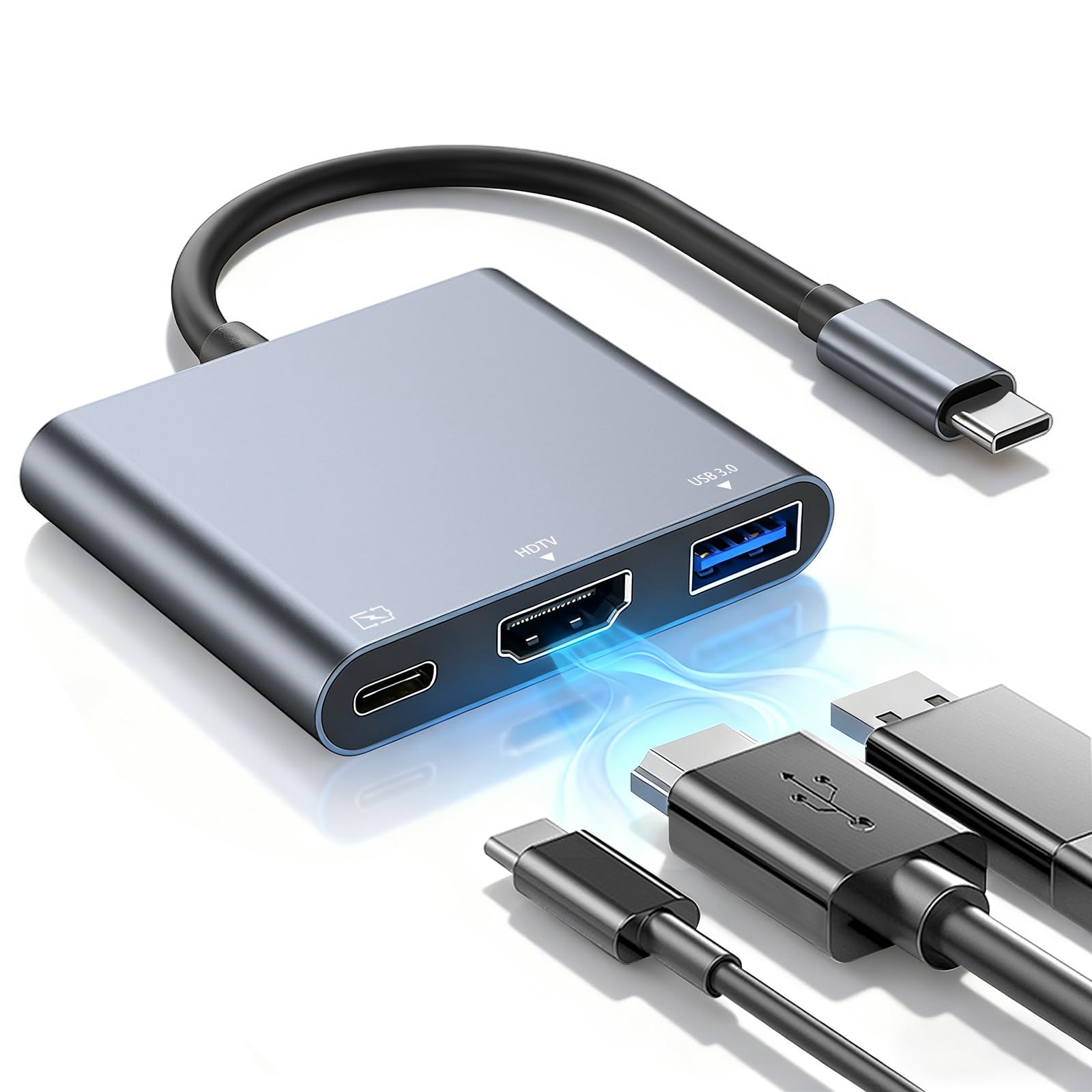
THis works great as a tiny dock for a mobile phone (Android and iOS), tablet, or laptop. The caveat is the device must be able to be charged via USB C. I have a Windows laptop that cannot charge from USB C, so this device does not work with that laptop, (or my Windows desktop) though it works flawlessly with my Chromebook and Android phone. The experience was as follows: Mobile phone. I have an Android phone and plugged adapter into USB C port and an HDMI cable to a desktop monitor. Nothing. Then I connected power using the phone charger (2 Amp) and plugging it into the power USB C port on the adapter and magically, I had the Samsung DeX desktop app open and showed me wonders beyond imagination. I had a working desktop, similar to the Motorola Desktop from a previous Razr phone, years ago. The phone screen then became a touchpad/mouse. My bluetooth keyboard and mouse worked perfectly with this setup. I could open most apps, though some apps (like Verizon app) do not work with the Dex desktop experience. Your mileage may vary, depending on your mobile phone mfg. I do not have an iOS, so did not test the function, nor do I have other devices (that work) to test their operating system environments. I am just giving you my experience with Samsung Galaxy phones. Then i tried my Chromebook. I plugged the adapter into the Chromebook and plugged in the HDMI cable to the adapter, and without connecting charging power to the power port, the laptop screen extended like magic. So, I plugged in power from the laptop charger to the adapter and the laptop battery started charging. TaDa! Like the phone I was able to use the external monitor, but now I had two screens, with the laptop screen extending to the external monitor. They do not mirror. I tried the Windows laptop (and a desktop) and the device was recognized but would not push video out the USB C port through the adapter. This is not necessarily a limitation of the adapter but because the laptop cannot do such a crude thing. With a certain HP external dock, it could, but not simply pushing video through this device. Now the USB 3.0 A port worked great as a data port and a USB drive did work plugged into the USB A port on the adapter. Similarly, the USB 3.0 drive worked across all devices being seen by the phone and the Chromebook. Provided one has a new laptop, then the adapter could work as a video extender. Just don't expect it to work with a 2021 or older laptop, like my 2021 HP Envy. I primarily have this for the Chromebook. I am glad it works with the phone, as that could come in handy in the RV instead of having to pack the NVidia Shield Android TV device or the Fire TV Cube to push the phone video through, I can simply connect the phone, keep it charged and use a bluetooth mouse and keyboard. While using, the device did not get warm at all. The aluminum shell would radiate any heat, anyway. The devide feels durable and the short pigtail USB C cable ensures its survival. You may need to use a USB C extension, though I would keep it as short as you possibly can for data integrity and functionality. This is a great value if you need a port extender for a Chromebook, iOS device, mobile phone, or modern Windows laptop. It saves space too and is a great value for travel. Read more


My son is taking a college photography course, and this 3-in-1 USB-C hub has been a total game-changer for his laptop setup. It’s compact, lightweight, and handles everything he needs—connecting his camera, external hard drives, and even a monitor without any fuss. The 4K HDMI output works beautifully for reviewing photos on a bigger screen, and the USB-A port makes transferring files super-fast. We especially like the PD charging option—it keeps his laptop powered while everything else is connected, which is a huge plus during long editing sessions. So far, it’s been reliable and easy to use, with no complicated setup or drivers required. The only reason I’m giving it four stars instead of five is that it’s not compatible with some devices, like iPads with Lightning ports or certain portable monitors. For anyone using a USB-C laptop or tablet, though, this hub is a fantastic tool—highly practical for students or anyone juggling multiple devices. Read more


Handy Hub for My Laptop! This space grey hub matches my MacBook perfectly and plugs in smooth. The HDMI gives a sharp 4K picture to my monitor—no lag when working or streaming. It charges fast with 100W PD (keeps my laptop powered during long sessions), and the extra USB 3.0 port handles my mouse or drive quick. It’s compact, no extra cables needed. Gets a little warm after hours of use, but nothing bad. Super useful for turning my laptop into a full setup without buying big docks! Pros: • Crisp 4K HDMI • Fast charging while using • Extra fast USB port • Looks great in space grey Cons: • Warms up a bit on long use Love this for daily work and videos! Read more
This USB-C adapter hub is hands down one of the most reliable and convenient accessories I’ve added to my setup. Honestly, it just works, and that’s really all you could ask for in a hub. I’ve been using it with my MacBook Pro, MacBook Air, iPad, and even a few other USB-C devices, and it handles everything seamlessly without any hiccups. The 4K HDMI output is fantastic—sharp, clear, and smooth. Whether I’m connecting to an external monitor for work or streaming movies on my TV, the picture quality is crystal clear, with no lag or distortion. The fact that it supports 100W PD charging means I can charge my laptop while using all the ports at the same time, which is a huge plus. I’ve run multiple devices off it simultaneously, including external drives, a keyboard, mouse, and even a USB flash drive, and it never slows down or disconnects unexpectedly. The hub itself feels extremely well built. The space grey finish matches my Mac perfectly, so it looks like an official accessory rather than something cheap or flimsy. It’s compact, lightweight, and portable enough to throw in my bag for work or travel without adding extra bulk. What really impresses me is the multiport functionality. The extra USB 3.0 port is handy for plugging in peripherals like external drives or a mouse, and the HDMI splitter works flawlessly for connecting to larger screens. I’ve tested it with multiple monitors and devices, and the performance has been consistent every time. Overall, this is exactly what I needed for my Mac and other USB-C devices. It’s reliable, fast, and well-made, with all the features you could want from a multiport hub. I highly recommend it to anyone looking for a hassle-free way to expand their USB-C setup. 5 out of 5 stars without question. Read more


USB Hub 3 0 USB c hub USB hub with Multiport Adapter USB Splitter with 1xUSB 3 0

USB Hub USB Splitter 1 in 2 Out Adapter Double USB Hub for Laptop Xbox PC MAC Mac

4-Port USB 3 0 Hub Ultra Slim USB Multiport Adapter for Laptop Desktop Mac Surface Pro XPS Mouse

4 Port USB Extension Cable Hub with 5ft Long Cord USB 3 2 Powered USB Splitter On Off

4-Port USB Hub 3 0 with USB C Adapter LYFNLOVE USB Extender with Individual Power Switch Ultra Slim

Joso 5 Ports USB Hub 2 0 for Xbox Series X S USB Splitter Expansion Adapter with Type-C

Aceele USB Hub 3 0 Splitter with 4ft Extension Long Cable Cord 4-Port Ultra-Slim Multiport Expander for Desktop

NOVOO USB C Hub 5 in 1 with HDMI 4K Adapter 2 USB 3 0 Ports 1 SD
We use optional analytics and advertising cookies to understand how visitors use Ventari, measure ads, and improve the experience. You can accept all optional cookies, allow analytics only, or decline them. See our Cookie Policy.